Inspection schedules
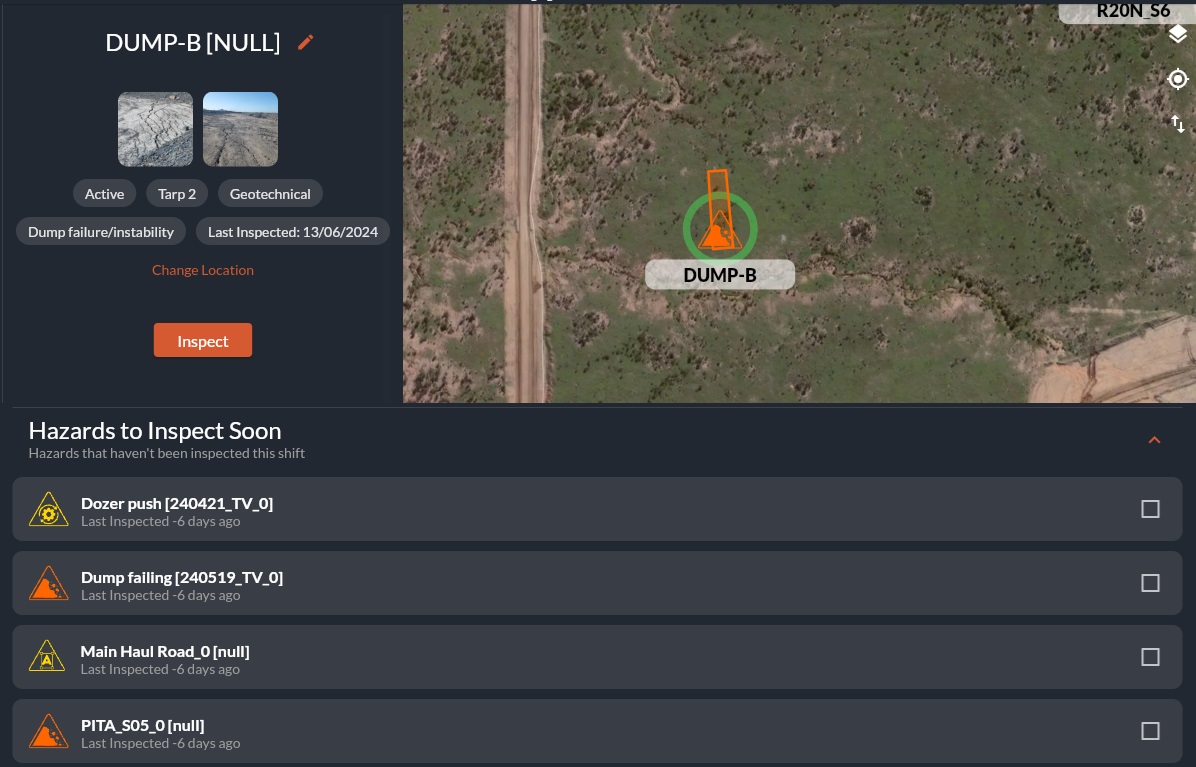
Your site may have shift-based inspections. This panel allows administrators to control the sites inspection regieme. This will influence:
- How long a hazard will have a green inspection halo for.
- When the "Hazards to inspect this shift" list will repopulate.
Add and Edit Inspection Times
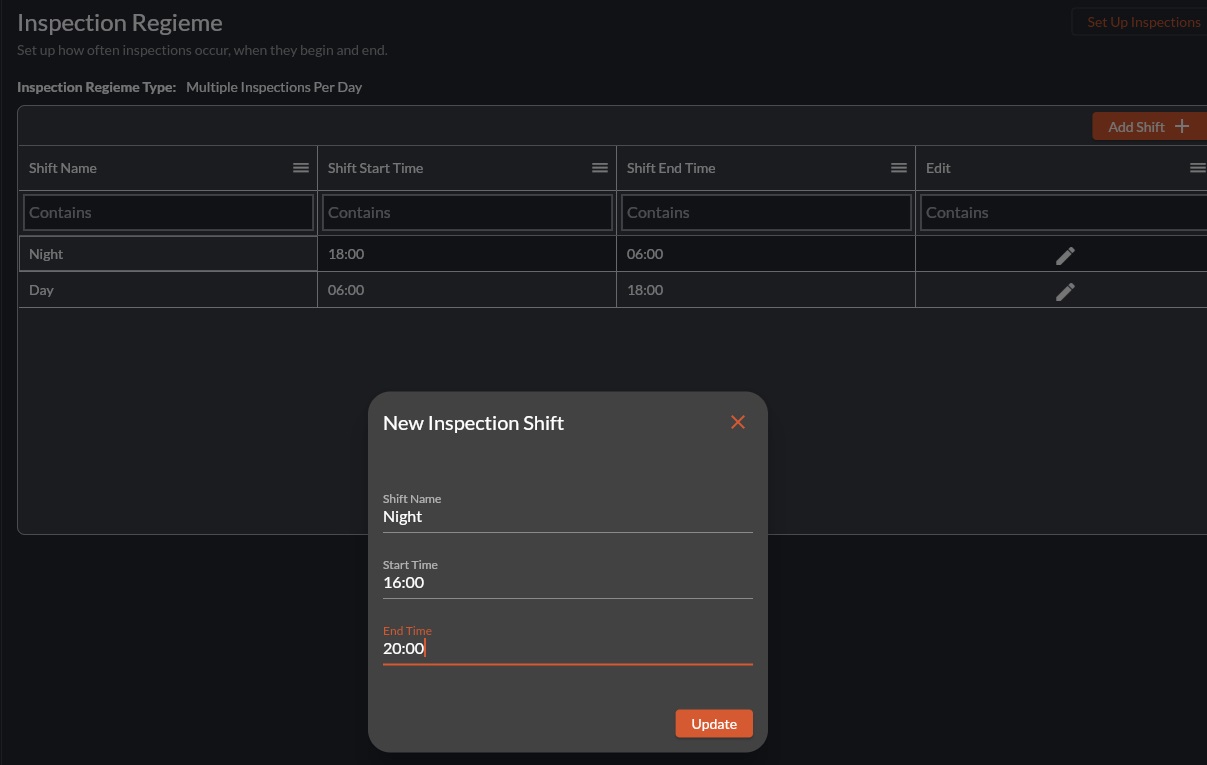
- To edit an inspection shift, select the pencil icon in the Edit column.
Related Articles
How to Log an Inspection
Overview Inspections are completed directly from the HazView map. Different inspection types will create a coloured halo around the hazard/features icon. When to Use During statutory inspections When verifying recent hazard updates When completing ...How to Use Guided Inspections
Overview Guided inspections combine checklist style questions and the interactive map into one view. The guided inspection has categories and questions that can be answered by the user. Each question auto-populates associated hazards and features ...PowerBI Custom Connector and On-Premises Data Gateway
This video discusses how to set up an on-premises data gateway for use with PowerBI. The Custom Connector for HazView is attached to this article for download as a .mez file. <br> Prerequisites Windows 64-bit virtual machine .NET ...How to Edit a Hazard/Feature
Overview: Hazards, Features and their controls are constantly updating. Users with the correct Role can edit hazard and feature properties as required to ensure the information stays useful and up to date. Permissions for this are managed by your ...Customise the hazard archive
Watch this video for a quick overview of the Hazard Archive and what you can do with it: Customising the Hazard Archive If you have a large amount of hazard data, you can filter and re-organise the results. Searching for specific hazard data Use the ...