Customise the hazard archive
Watch this video for a quick overview of the Hazard Archive and what you can do with it:
Customising the Hazard Archive
If you have a large amount of hazard data, you can filter and re-organise the results.
Searching for specific hazard data
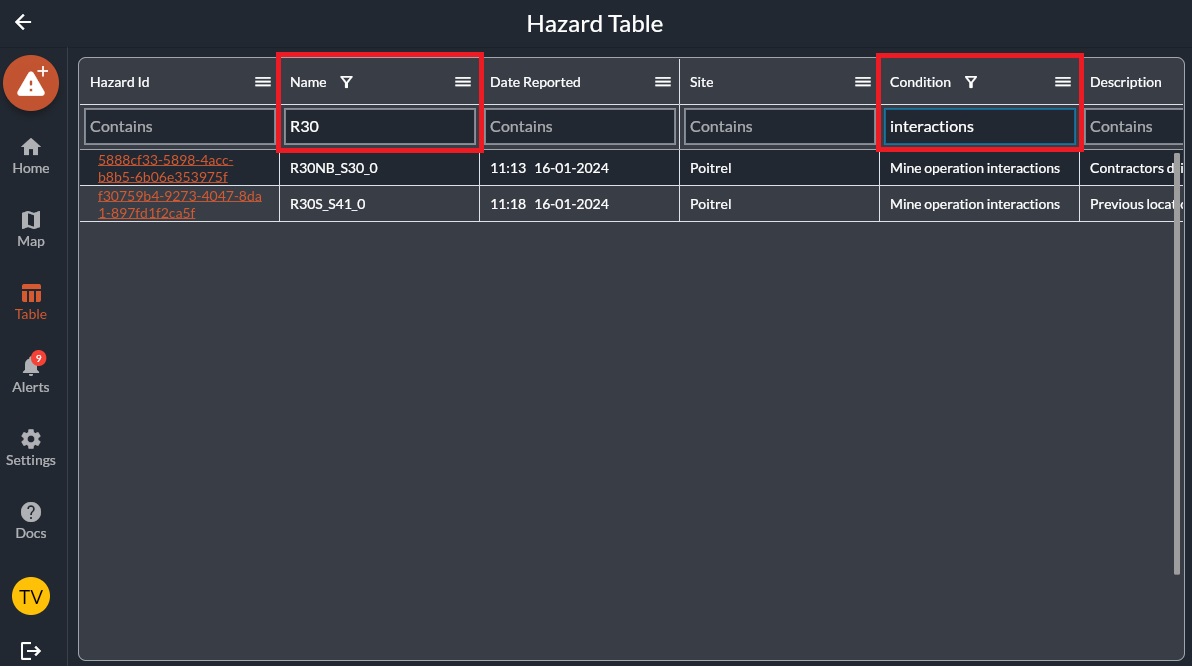
Use the search bar to search for specific details. In this example, the results are filtered for "R30" and for "potentially unstable structure".
Sorting and organising columns
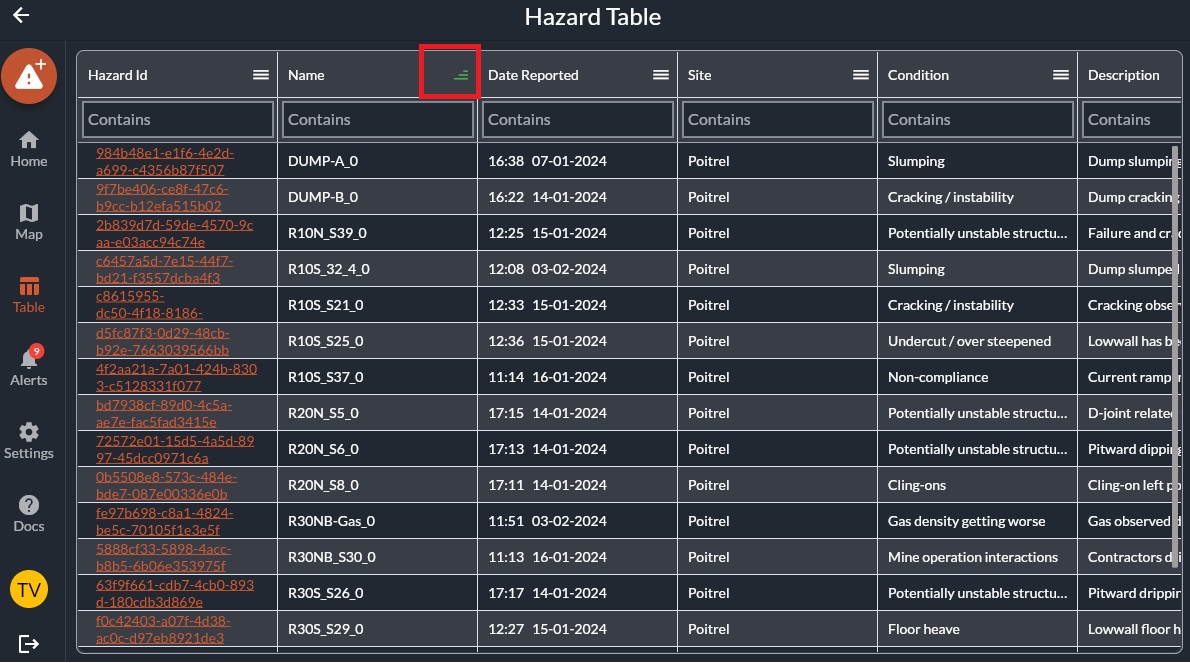
To sort the columns, left click the column title.
Each time you click, it will reoganise as:
- Ascending
- Descending
- Unorganised
Column customisation
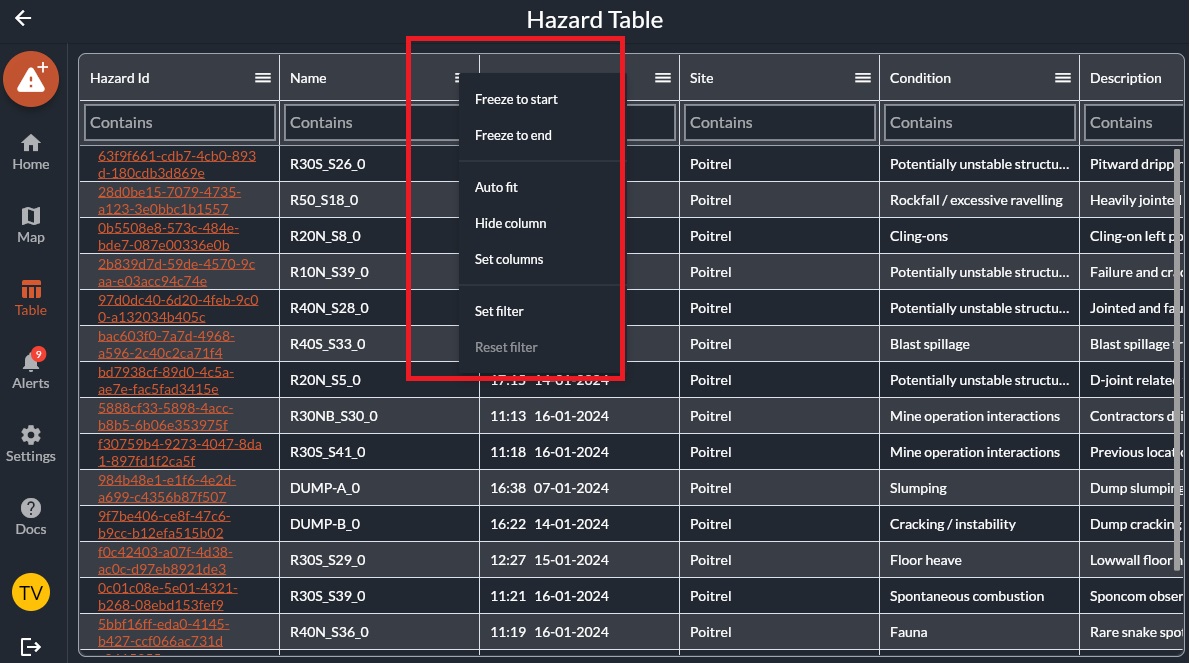
For more customisation, left click the option menu oin the right side of the header column.
This will let you freeze rows, auto fit the data, set filters and more.
Related Articles
Accessing the hazard archive
Watch this video for a quick overview of the Hazard Archive and what you can do with it: Accessing the Hazard Archive The hazard archive is a table with the hazard details for every single hazard that has ever been added. This table includes all ...Hazard settings
Admin Settings Overview Hazards and Features Settings Each site has their own way of categorising features, the required properties and rules on who is responsible for what actions. HazView lets administrator accounts customise all of these to fit ...How to Add a Hazard/Feature
Overview: HazView allows users with permission to add hazards and features to the map. Each hazard or feature includes customised properties including location, description, controls, photos and associated actions. Each hazard/feature receives a ...How to Edit a Hazard/Feature
Overview: Hazards, Features and their controls are constantly updating. Users with the correct Role can edit hazard and feature properties as required to ensure the information stays useful and up to date. Permissions for this are managed by your ...PowerBI Custom Connector and On-Premises Data Gateway
This video discusses how to set up an on-premises data gateway for use with PowerBI. The Custom Connector for HazView is attached to this article for download as a .mez file. <br> Prerequisites Windows 64-bit virtual machine .NET ...